Instances
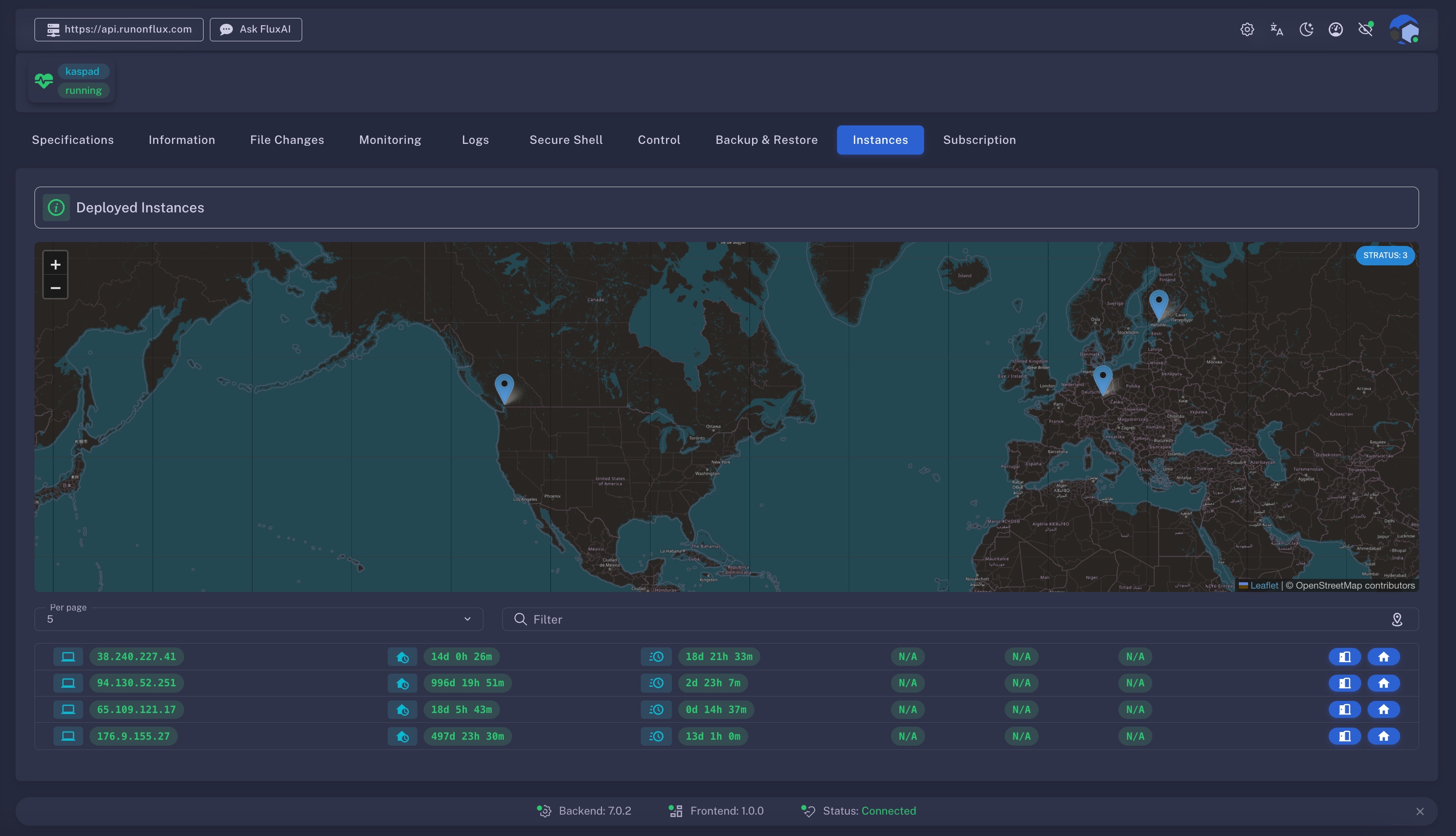
The Instances tab provides a real-time overview of all FluxNodes currently hosting your application.
How To Access
Applications → Management → Manage App → Instances
Visit home.runonflux.io and sign in, then open the Management tab in the Applications menu, select an application from My Active Apps, click Manage, and open the Instances tab.

Overview
Primary/Standby App Information (Optional)
If your app is configured with Primary/Standby container data, the current Primary node will be displayed here along with its IP address. Use this IP to connect directly to the primary instance.
World Map View
A dynamic, interactive world map displays the geographic distribution of your app's running nodes. You can zoom in and out to pinpoint the exact location of each active FluxNode.
Data Table Overview
Alongside the map, a data table lists detailed information for each instance, including:
- IP Address
- Continent
- Country
- Region
Additionally, two actionable buttons are provided:
- App – Opens a direct link to the deployed app’s web interface (if available).
- FluxNode – Launches the FluxOS interface for the specific node, allowing for in-depth inspection or monitoring.