Cost Calculator
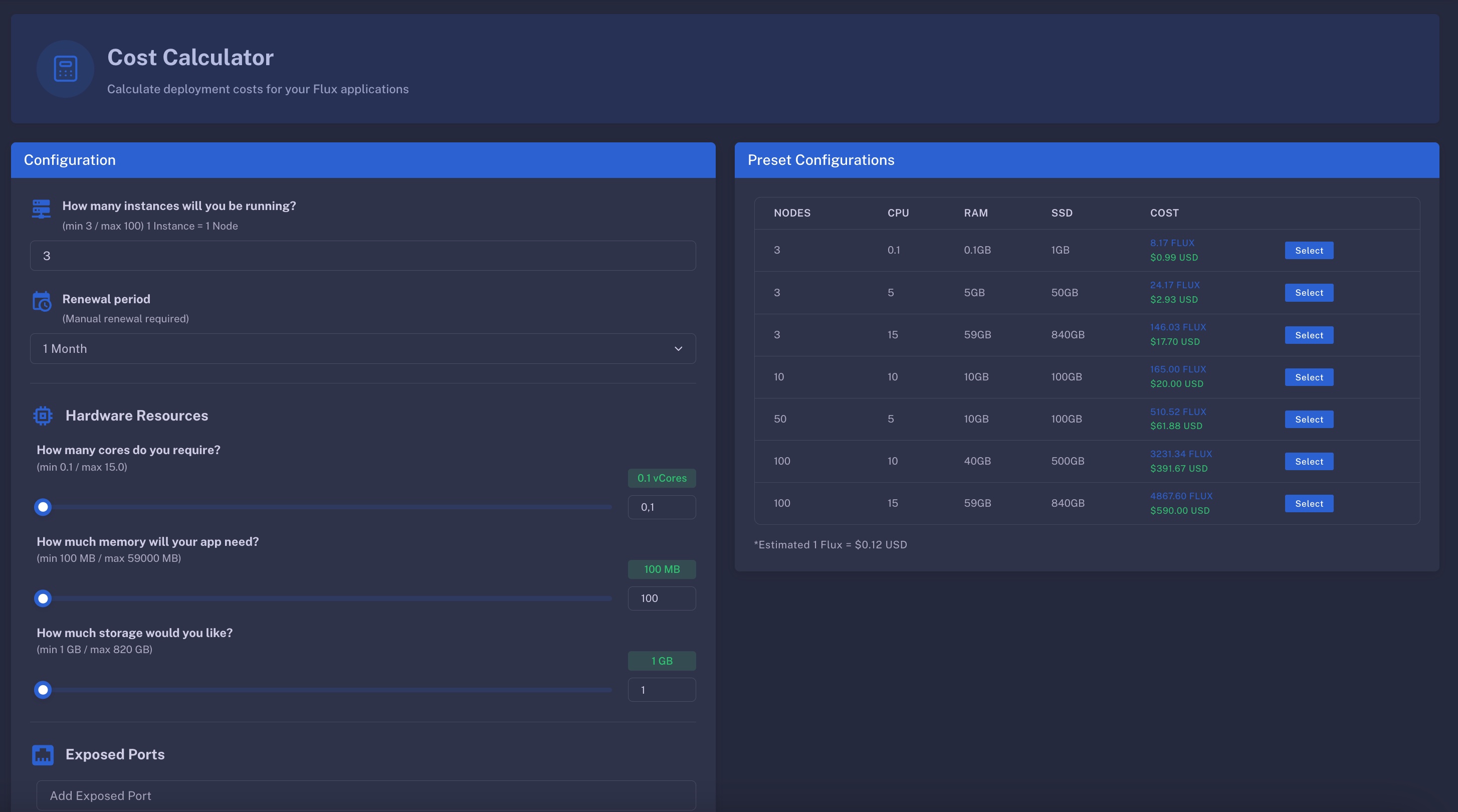
We offer a simple and user-friendly calculator at https://cloud.runonflux.io/cost_calculator to help you estimate how much your application will cost based on your chosen resources and subscription plan.
Overview
Use the sliders and dropdown selectors to specify your compute needs, and the calculator will instantly show the estimated cost.
Current Spec Pricing
Prices are in US dollars per month. Resources are priced per instance (the app's total is divided by three and then multiplied by the instance count).
- CPU: $0.15 per 0.1 core
- RAM: $0.05 per 100 MB
- SSD: $0.02 per 1 GB
- Enterprise Port (ports 0–1023, 8080, 8081, 8443, 6667): $2.00 per port
- Scoped Deployment (targeting specific nodes, private/enterprise apps): $4.00
- Static IP: $2.00
- Minimum Price: $0.99 per app per month
Discounts applied automatically:
- Small apps (under 3 cores, 6 GB RAM, 150 GB, fewer than 4 instances): 20% off
- Medium apps (under 7 cores, 29 GB RAM, 370 GB, fewer than 4 instances): 10% off
- Primary/standby storage (
g:): 20% off - Longer subscriptions: 3% off at 3 months, 6% at 6 months, 12% at 9 months and more
💡 Tip: Paying in FLUX gives you a 5% discount on the total cost.
Example: one component with 0.5 CPU, 500 MB RAM and 5 GB SSD on 3 instances is (0.75 + 0.25 + 0.10) / 3 = $0.37 per instance, $1.11 for three, 20% small-app discount = $0.89, raised to the $0.99 minimum. One month costs $0.99.
The same numbers are available programmatically at stats.runonflux.io/apps/getappspecsusdprice, and AI agents get them through the MCP server.
Frequently Asked Questions
What is an instance
An instance is a FluxNode—similar to a Docker container—that runs a copy of your application. FluxCloud requires a minimum of three instances for every deployment to ensure redundancy and uptime. If one FluxNode fails, another will automatically take over, ensuring seamless service continuity.
Where can I buy Flux
You can purchase FLUX on several exchanges listed here: https://runonflux.io/flux#exchanges
What does "synchronize data across components" means?
This feature helps reduce deployment costs. By default, FluxCloud runs your application independently on all three instances. When you enable "synchronize data across components", only one server runs the application actively. If it goes offline, another instance takes over using the synchronized data state, ensuring high availability with lower resource usage.