Titan Node Staking
Titan Nodes allow you to participate in supporting the Flux network with as little as 50 FLUX.
Your funds remain non-custodial and are managed via Zelcore or SSP Wallet, while the Flux team handles deployment on enterprise-grade hardware from partners like Lumen Technologies and OVH Cloud.
- Security: All transactions are signed and broadcast from a multi-signature address.
- Rewards: Earn native FLUX rewards (no Parallel Assets) with payouts twice a week.
This guide walks you through staking FLUX into Titan Nodes to earn rewards while strengthening the Flux decentralized infrastructure.
Requirements
Before you begin, ensure you have:
- Minimum Collateral: 50 FLUX (main chain)
- Maximum Collateral: 400,000 FLUX total (100,000 FLUX per individual stake)
- A Flux-compatible wallet — one of the following:
- Stable internet connection and a supported browser (Chrome, Brave, or Edge)
Note: d2FA (Decentralized Two-Factor Authentication) in Zelcore is recommended for added security.
Step-by-Step Staking Process
1. Access the Titan Dashboard
- Go to: https://titan.runonflux.io/
- Click "Connect" (top-right) to open the wallet connection dialog.
- Choose your sign-in method:
- ZelCore — Sign with the ZelCore desktop or browser extension
- SSP Wallet — Sign with the SSP browser extension
- Manual Sign — Sign a message with any compatible wallet
- By connecting, you agree to the Terms of Service (viewable via link in the dialog).

2. Start Titan Node Setup
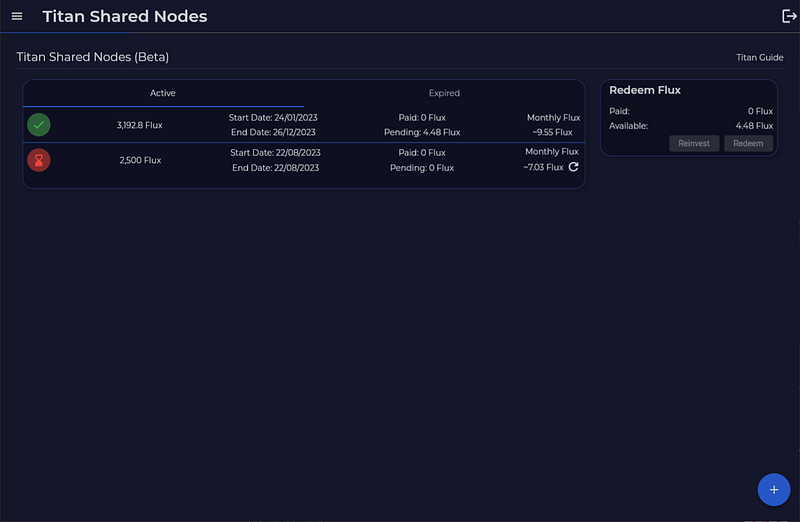
- Navigate to the "Active Flux" page using the sidebar. You will see summary cards showing your Total Staked, Total Rewards, Active Stakes, and Min Redeem amounts.
- Click the "New Stake" button (top-right) to open the Create New Stake wizard.
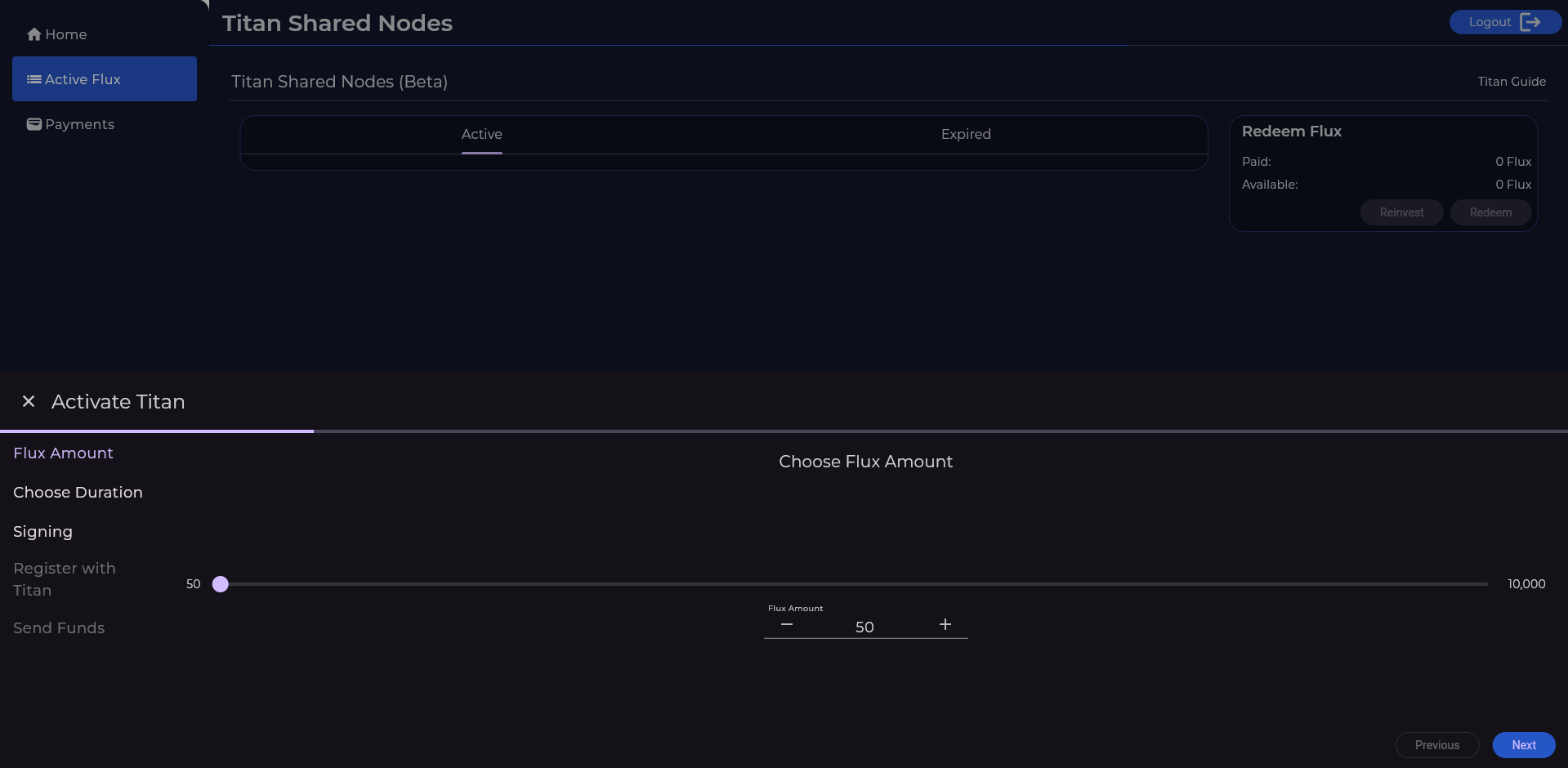
- Enter your desired FLUX amount (50–100,000 per stake).
- Please be mindful that a maximum limit of 400,000 FLUX applies per FluxID.
- You can also check "Stake from rewards" to use your accumulated rewards as the stake amount.
- Click "Continue".

3. Choose Lockup Duration
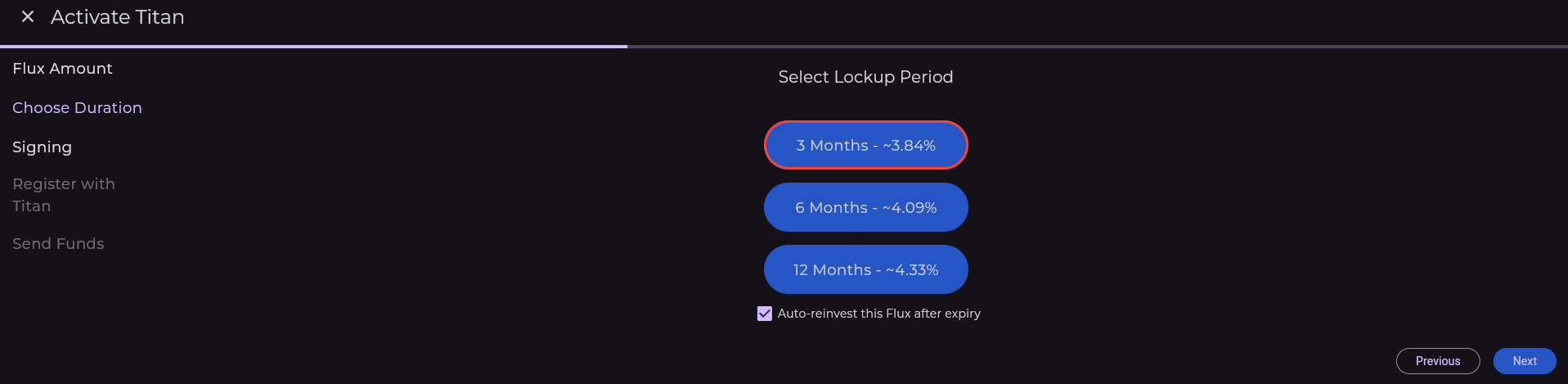
- Select from 3 Month, 6 Month, or 12 Month lockup periods, each displaying the estimated APY.
- Longer lockup = higher yield (lower fee).
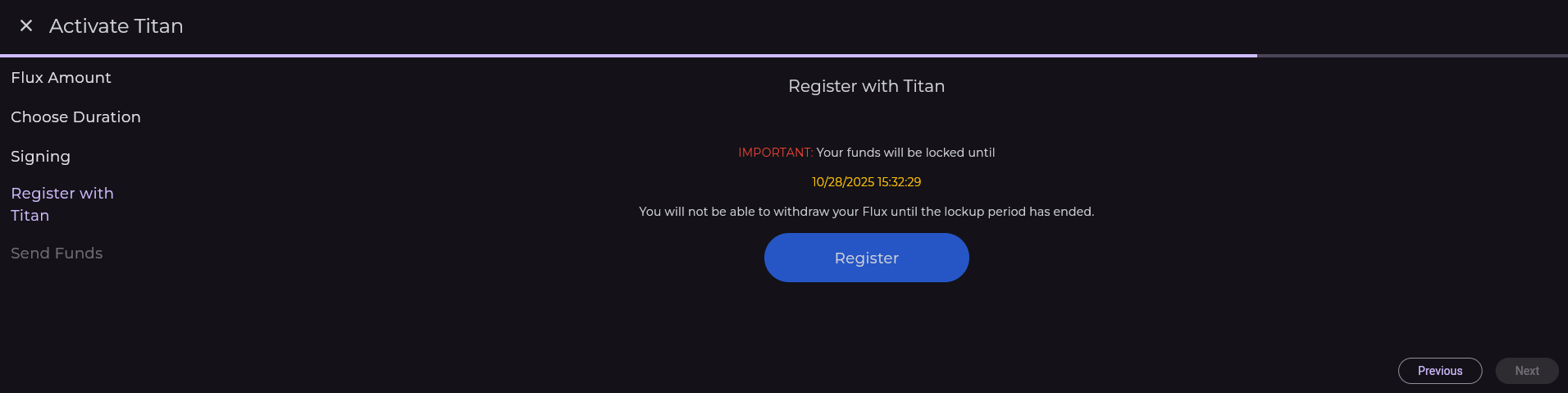
- During lockup, collateral cannot be withdrawn.
- Option: Auto-reinvest (collateral + rewards automatically re-lock after expiry).
- This is enabled by default and can be toggled before creating the stake.
4. Review Your Stake
- Review the summary of your stake details: Amount, Lockup, Est. APY, and Auto-Reinvest status.
- Click "Sign & Create" to proceed to the signing step.
5. Sign the Registration Message
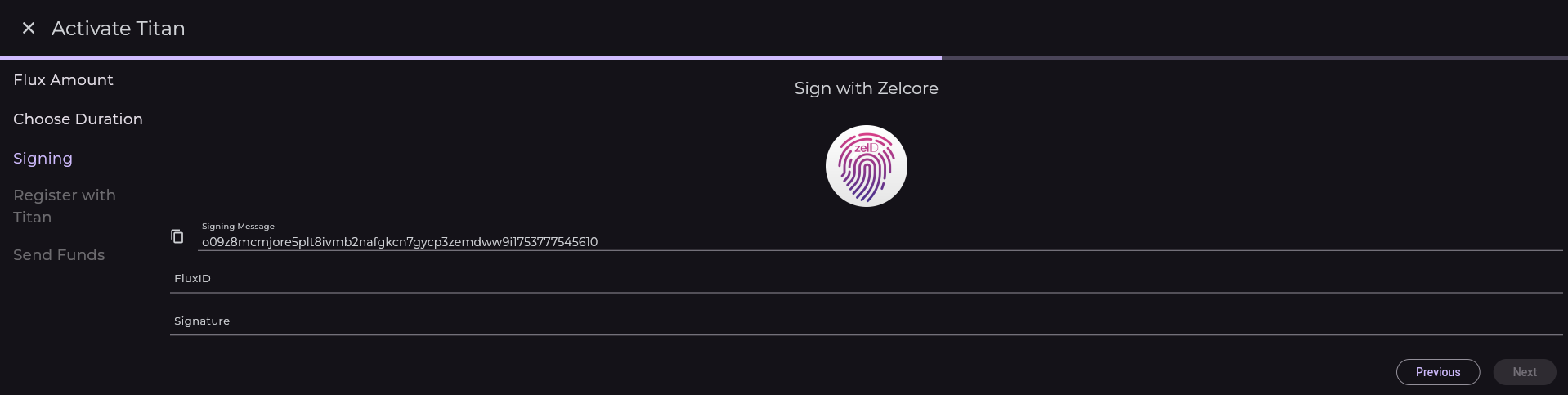
- Choose your signing method: ZelCore, SSP, or Manual.
- For Manual signing: copy the displayed message, sign it with your wallet, and paste the signature.
- For ZelCore or SSP: click the sign button and approve the request in your wallet.
- Once signed, click "Submit" to register your stake.
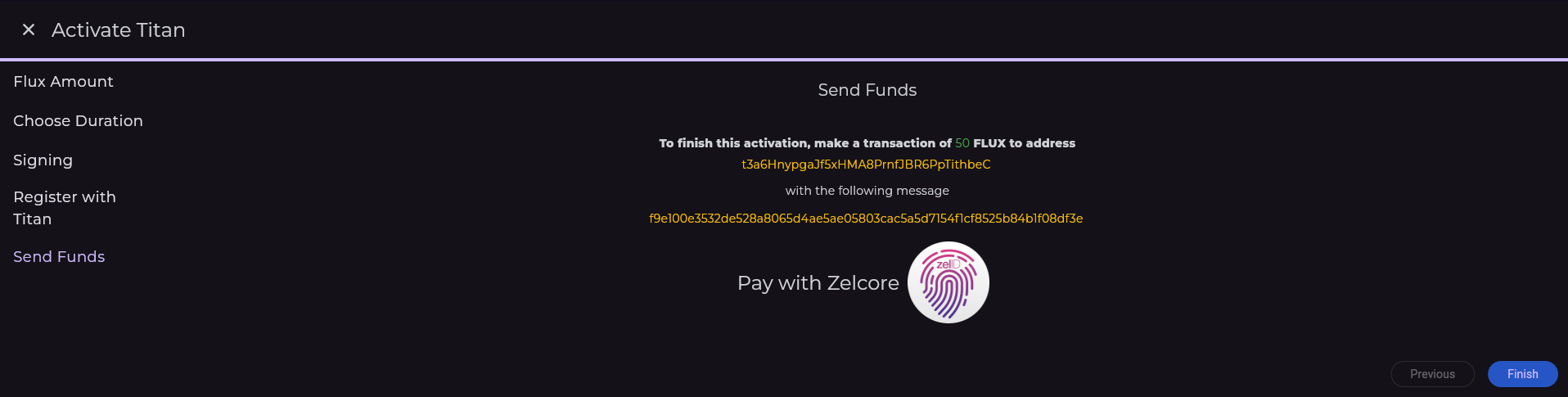
6. Send Funds to Titan
Two options:
- Automated: If ZelCore or SSP Wallet is detected, click the corresponding "Send with ZelCore" or "Send with SSP" button.
- Manual: Click "Send manually" to reveal the funding address and OP_RETURN hash. Send the exact FLUX amount to the provided multi-sig address, including the hash in the OP_RETURN of your transaction.
Important: Double-check the wallet address and transaction amount before sending.
7. Wait for Confirmation
- Requires ~30 confirmations (~60 min).
- Once confirmed, your Titan Node becomes Active and starts earning rewards.
- Congratulations, you have successfully become an integral participant in the FluxCloud network through Titan Nodes!
How to Redeem or Reinvest Your FLUX Rewards
Titan Nodes allow you to redeem rewards before your lock-up period ends, as long as you have at least 50 FLUX available for redemption. Rewards are typically distributed up to twice per week, targeting Monday and Thursday mornings at around 9:00 AM UTC. Because payouts are signed manually from a multi-signature wallet, timing can vary — delays may occur, and in some cases distribution can take up to 10 days.
All payouts are executed from Titan's multi-signature wallet by the official Flux team, ensuring an additional layer of security.
You have two options for using your rewards:
- Redeem — Withdraw your FLUX rewards to a wallet address.
- Reinvest — Use your rewards to create a new Titan Node, compounding your earnings.

Redeeming Your FLUX Rewards
The redeem process is a 4-step wizard: Review → Fees → Sign → Done.
1. Review Total Rewards
- On the Titan Dashboard, go to the "Active Flux" page.
- Click the "Redeem Rewards" button at the top of the page.
- You will see your Total Available Rewards amount.
- Click "Continue" to proceed.
2. Review Fee Breakdown
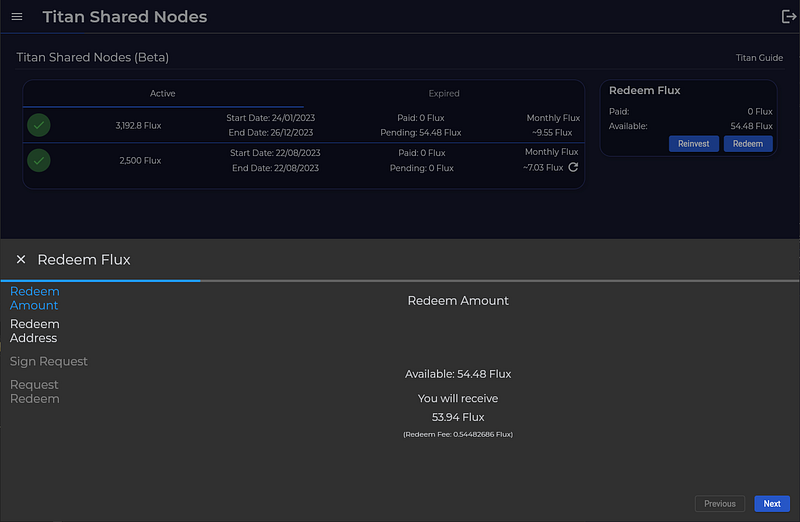
- You will see the fee breakdown: Total Rewards, Fee percentage, and Net Payout.
- A portion of the fee is burned, as indicated.
- An info message will tell you whether the payment will be sent automatically or queued for manual processing.
- Click "Redeem" to proceed.
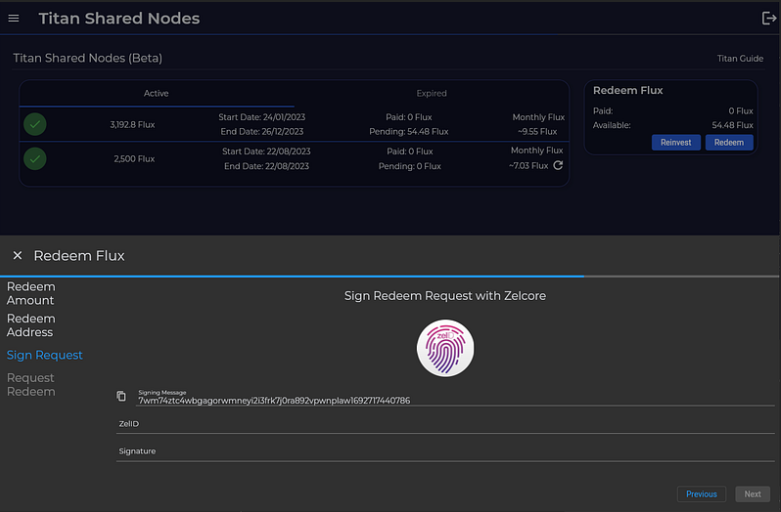
3. Sign the Redemption Message
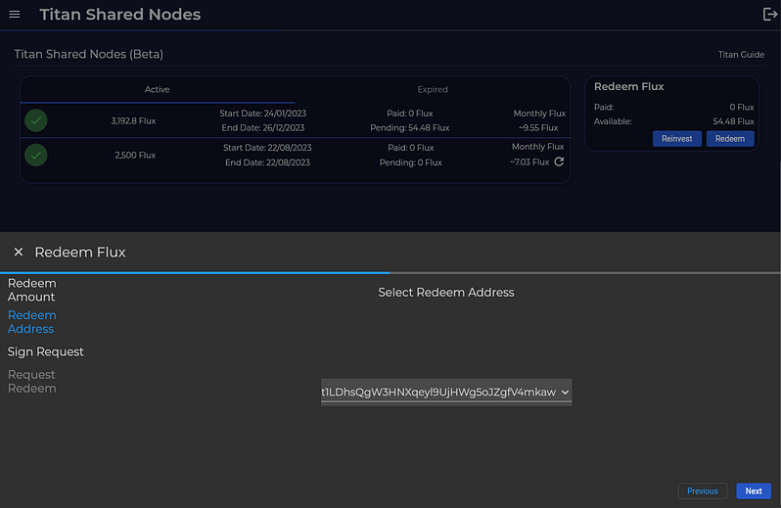
- Choose your signing method: ZelCore, SSP, or Manual.
- Sign the displayed message and click "Submit".
4. Redemption Submitted
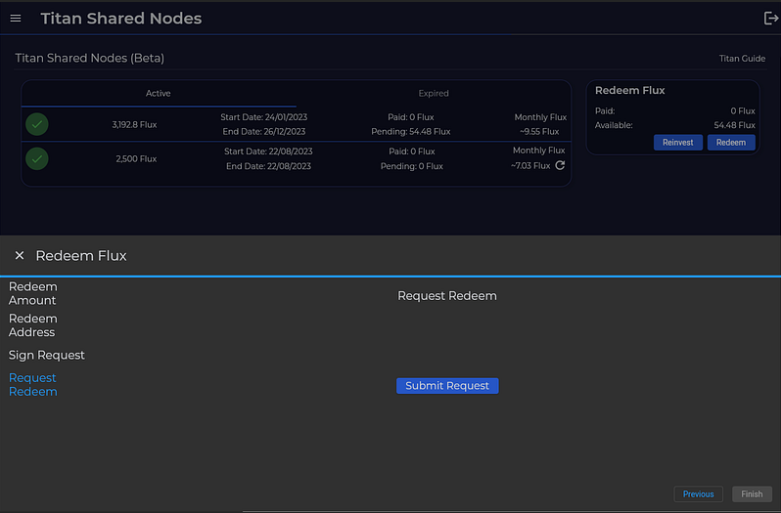
- You will see a confirmation that your redemption has been submitted.
- Your rewards will be transferred during the next scheduled payout.
Reinvesting Your FLUX Rewards
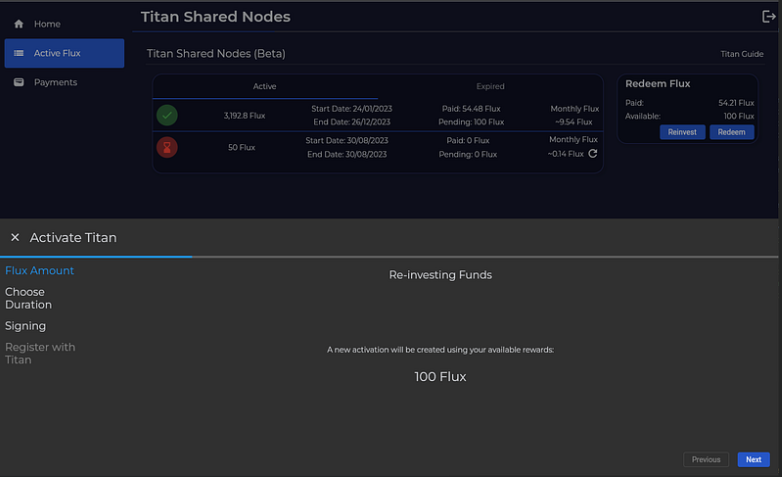
Reinvesting allows you to use your rewards to create a new Titan Node without withdrawing them first. In the Create New Stake wizard, check the "Stake from rewards" option to use your accumulated rewards as the stake amount. Then follow the same staking process described above.
Reinvesting from an Expired Titan Node
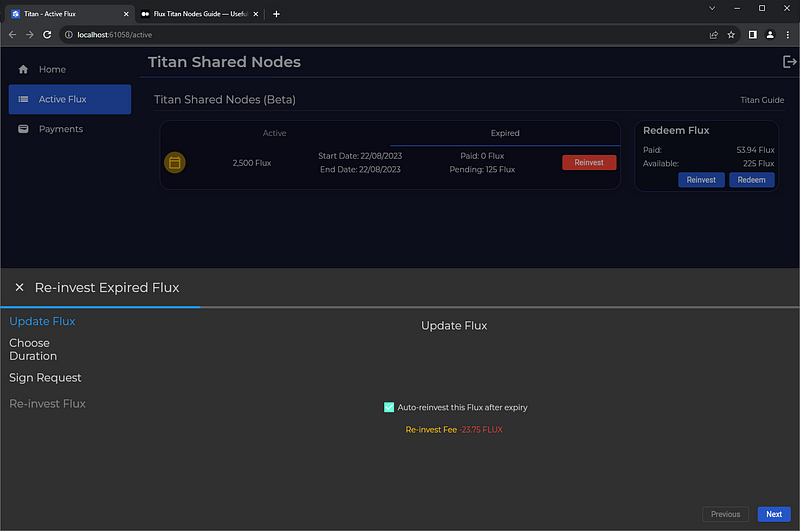
If your Titan Node lock-up period has ended, it will move to the "Expired" section of the dashboard. The reinvest process is a 4-step wizard: Review → Lockup → Sign → Done.
1. Locate Your Expired Node
- On the "Active Flux" page, click the "Expired" tab.
2. Click "Reinvest"
- On your expired stake card, click the "Reinvest" button.
- You will see a summary showing your original Collateral, accumulated Rewards, Reinvest Fee, and Net Reinvestment amount.
- Click "Continue" to proceed.
3. Select Lockup and Sign
- Choose your new lockup period (3, 6, or 12 months) with the displayed APY.
- Optionally enable Auto-reinvest for the next expiry.
- Sign the modification message using ZelCore, SSP, or Manual signing.
4. Confirmation
- Once confirmed, your reinvested Titan Node will appear under "Active" in your dashboard after ~60 minutes.
Frequently Asked Questions
Do Titan stakers receive Parallel Asset snapshot rewards?
Yes — they are credited directly to your funding wallet, independent of Titan.
Do Titan stakers receive parallel asset mining rewards like traditional FluxNode operators?
No — Titan staking only provides native FLUX rewards at the displayed APR.